When Call List Scrubber scrubs a list a temporary file is updated with the field names contained in the list to be scrubbed. Rarely, this file can get corrupted either because a previous scrub process failed, or the program was shut down improperly. To fix this problem, the temporary field list file must be recreated.
Start Call List Scrubber and click 'About TPC...'. You will be presented with a splash screen with all of the information about Call List Scrubber such as the one below.
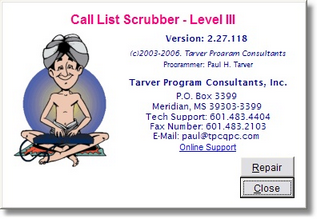
Click the 'Repair' button to access the Repair Database Screen:
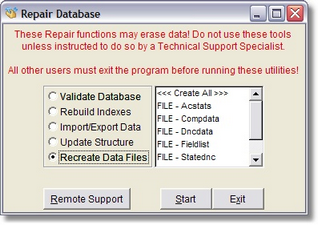
Click the 'Recreate Data Files" box and a list of Call List Scrubber internal files will appear.
Scroll through the list until you find 'FILE - Fieldlist' and click on this file to highlight it.
Click 'Start' and you should be immediately returned to the 'About TPC...' splash screen.
Click 'Continue' to return to the Main Menu and you should be able to proceed normally and scrub call lists.