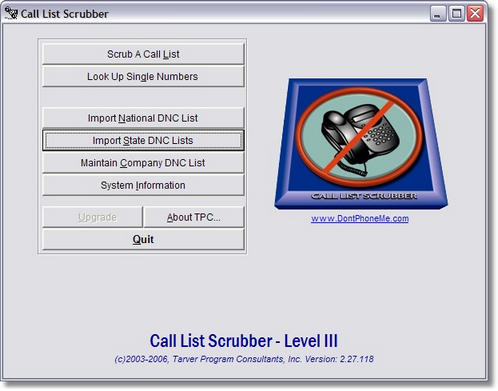
From the main Call List Scrubber Menu, click on the third button, 'Import State DNC List'.
This will open the Import National DNC List window:
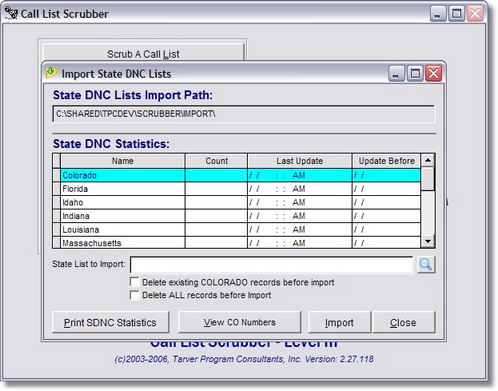
Notice that at the top of the window is a display field that shows you the last path that you used to import DNC files. If this is blank, don't worry, once you select the file, the path will automatically be updated. Select the state you will be importing in the table displayed on the screen.
The simplest way to select a file is to click on the button with the magnifying glass icon and you will be presented with a browse window that will allow you to locate the file on your hard drive simply by using your mouse. This can come in handy since the files that you download from the Do Not Call Registry can have vary greatly from state to state.
Highlight the file you wish to import and click 'Select' to return to the Import National DNC List window. Click 'Import' to begin the import process.
There are two other choices on this screen that need to be discussed:
| 1. | Delete existing [State Name] records before import |
| 1. | Delete ALL records before import |
Choosing the first option will instruct the program to remove all of the state records matching the choice you made in the grid above. If you do not clear the data from a particular state, the new data to be imported will be added to the existing records. By not checking this box, a user can import multiple files for a single state. By checking this box, any existing records will be removed before the new import.
By checking the second box, you are choosing to remove ALL records in the file before importing new data. This might be of some use, if you want to freshen all State DNC lists from time to time. This is equivalent to compressing the State DNC, but it should only be used if you are prepared to import data from all of the states that you want to include in your scrubbing process.
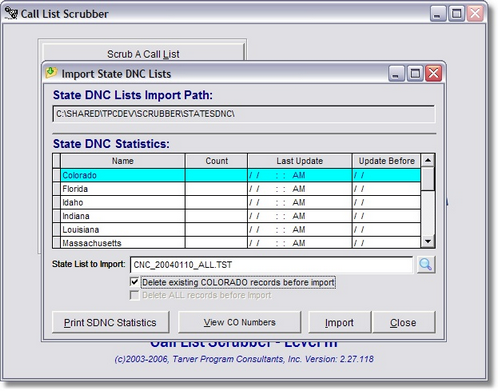
Click 'Import' and if the file and path are all correct, you should see a progress bar that indicates the importing process has begun. Each state has their own specific file format which Call List Scrubber has been programmed to recognize.
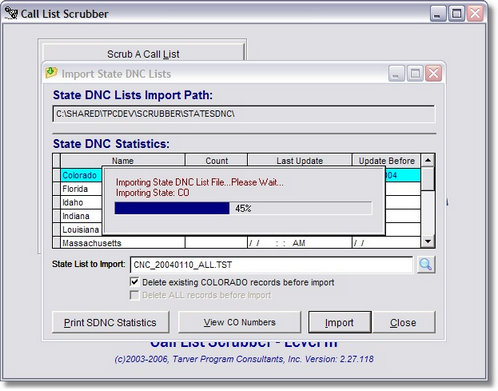
Click the 'Print SDNC Statistics' button to print a list of all states, the number of DNC records for each state and the Update Before date to remain in compliance. Click here to see a .pdf of the report you would receive.
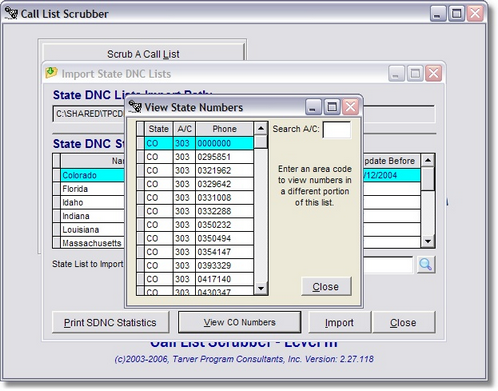
Click the 'View xx Numbers' button to browse the DNC numbers for the state you currently have selected in the State DNC Statistics window.
You will see the screen displayed below: