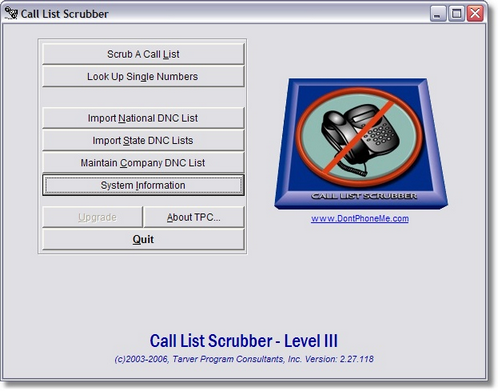
Call List Scrubber is designed to automatically notify you when your Do Not Call Registry subscription will expire if you update the System Information screen correctly. Call List Scrubber also gives you a convenient place to store all of your Organization IDs, Representative and Download passwords as well as your Subscription Account Number. To access this screen, click on the 'System Information' button on the Call List Scrubber main menu.
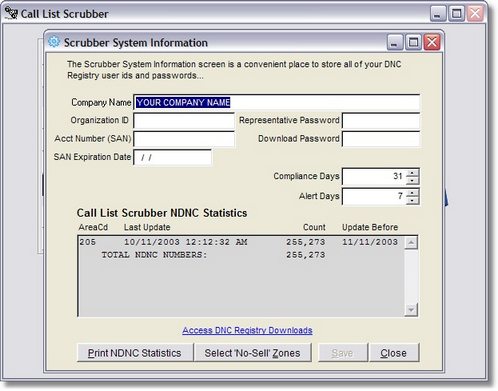
The System Information screen is where you can store important information relating to your FTC subscription as well as setting any defaults the system needs to operate correctly. You can also get up-to-the-minute statistics on your National Do Not Call lists that you have imported. Listed by Area Code, you can view the last date each area code was updated, how many phone numbers are in that area code list and the deadline date for updating that area code again to remain in compliance.
Enter the date your Do Not Call Registry subscription will expire into the SAN Expiration Date field.
Call List Scrubber will check the Expiration date against today's date each time you start the program and when you are less than the number of days you entered in the DNC Download Alert Days away from the SAN Expiration Date, Call List Scrubber will begin generating a message to alert you to the impending expiration of your subscription. You will need to log into the Do Not Call Registry website and renew your subscription. When you receive a new expiration date, update the SAN Expiration Date on this screen and the Alerts should stop until you need to renew again.
Click the 'Print NDNC Statistics' button to print a list of all area codes currently loaded into Call List Scrubber. You can click here to view a .pdf version of this report.